The Add Lead feature lets you enter details of a new potential customer, including contact info, company details, and related deal information. This helps track every inquiry and convert it into a successful sale.
Open Add Lead Form
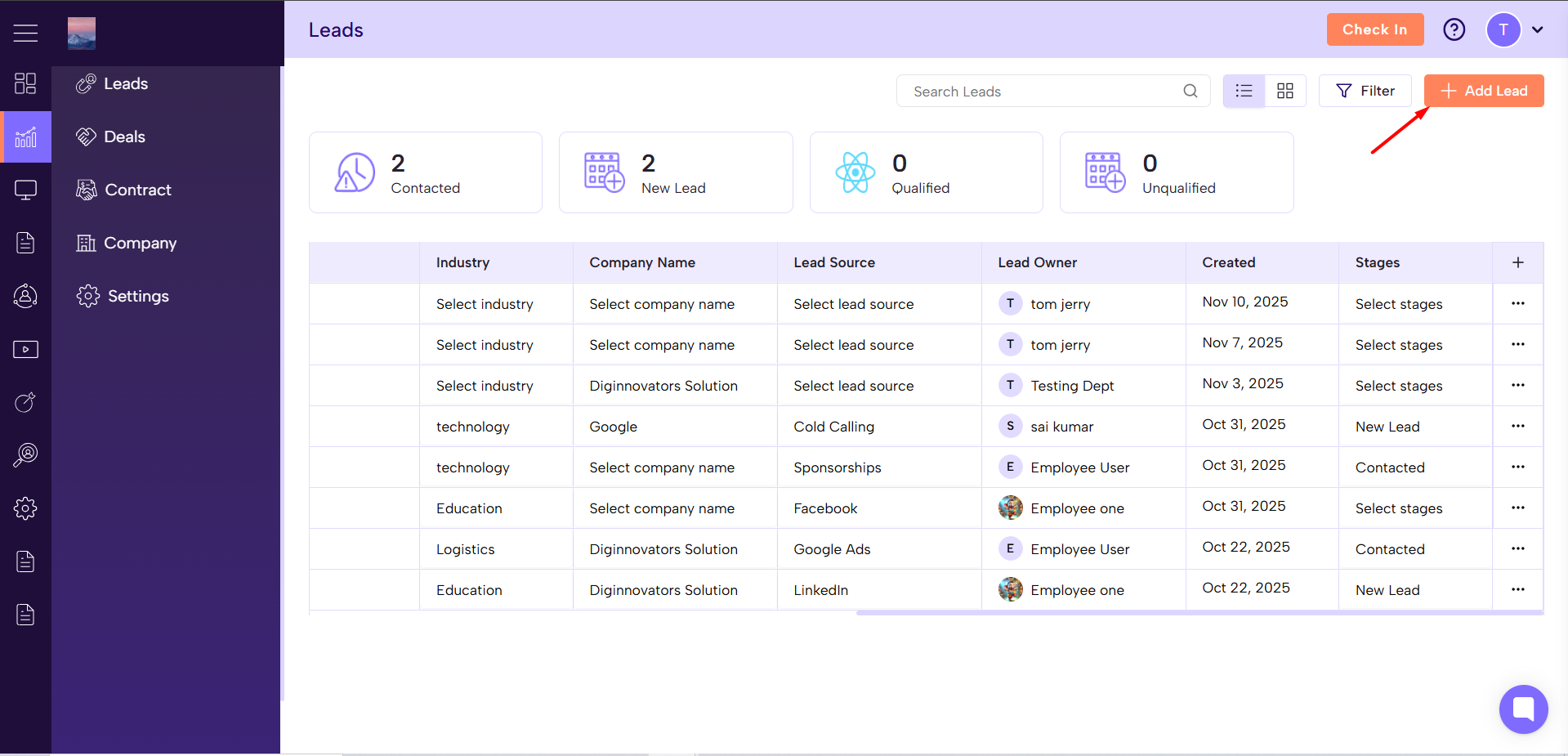
Go to Sales Module → Leads and click Add Lead.
Enter Lead Contact Info
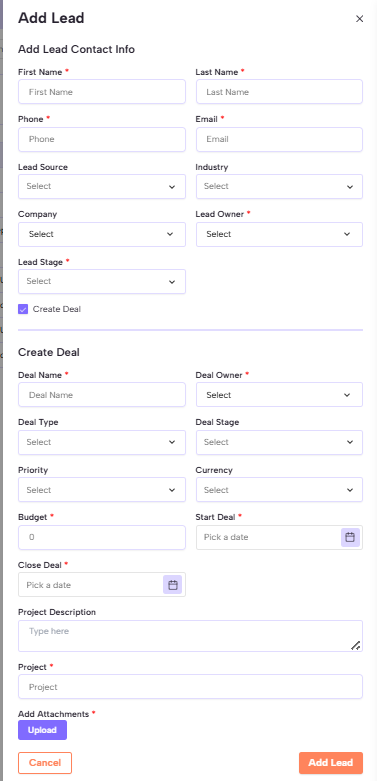
First Name, Last Name
Phone, Email
Fill Lead Details
Lead Source, Industry, Company
Lead Owner, Lead Stage
Add Deal (Optional)
Turn on Create Deal and fill details like:
Deal Name, Deal Owner, Deal Type, Deal Stage
Priority, Currency, Budget
Start Deal, Close Deal, Project Description, Project
Add Attachments
Upload related documents or files if needed.
Save the Lead
After filling all required fields (*), click Add Lead to save.
The new lead will appear in your Leads list for tracking and follow-up.
Adding leads helps store all potential customer data in one place, making it easier to follow up, manage deals, and boost sales productivity.
