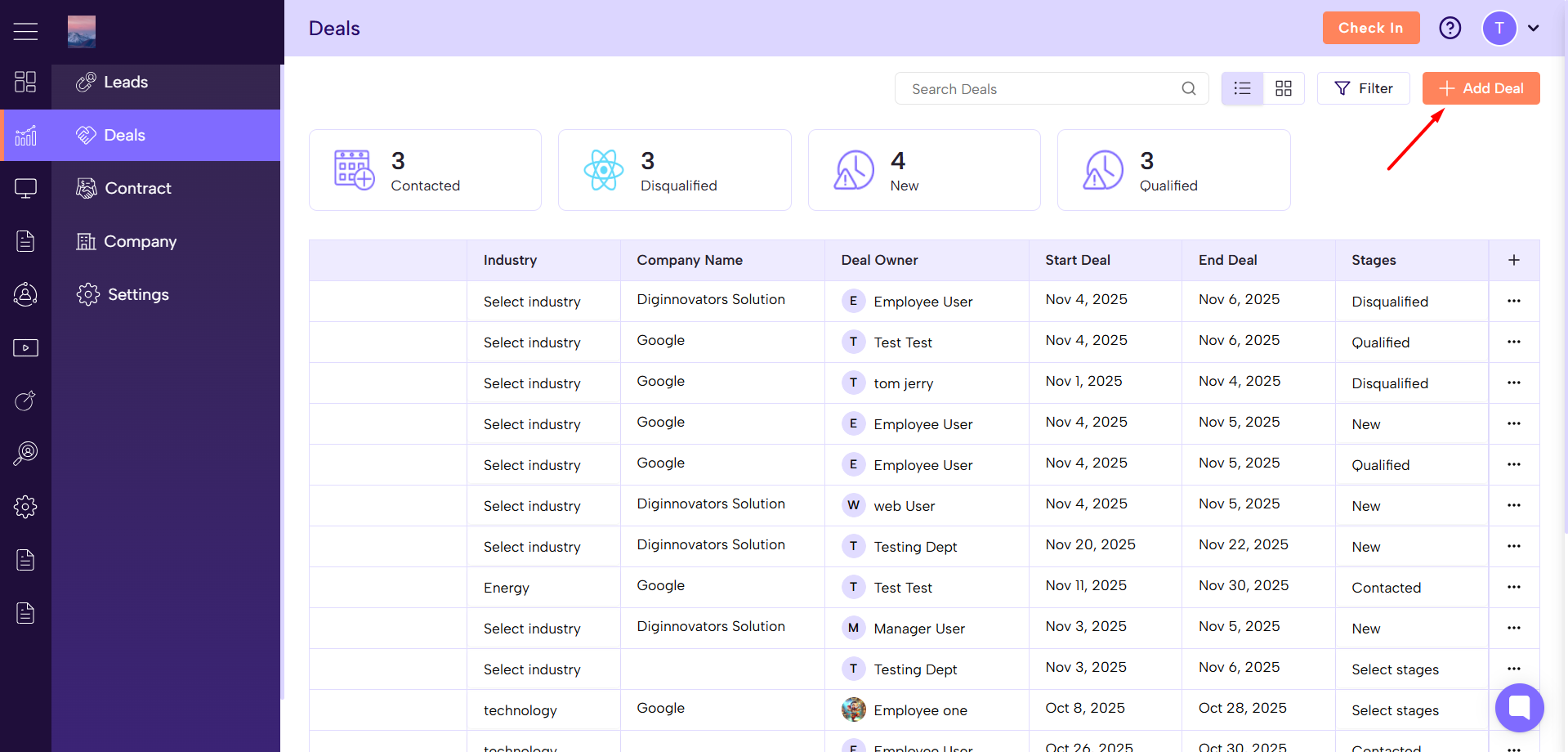
Go to Sales Module → Deals Section
Click on the “Add Deal” button.
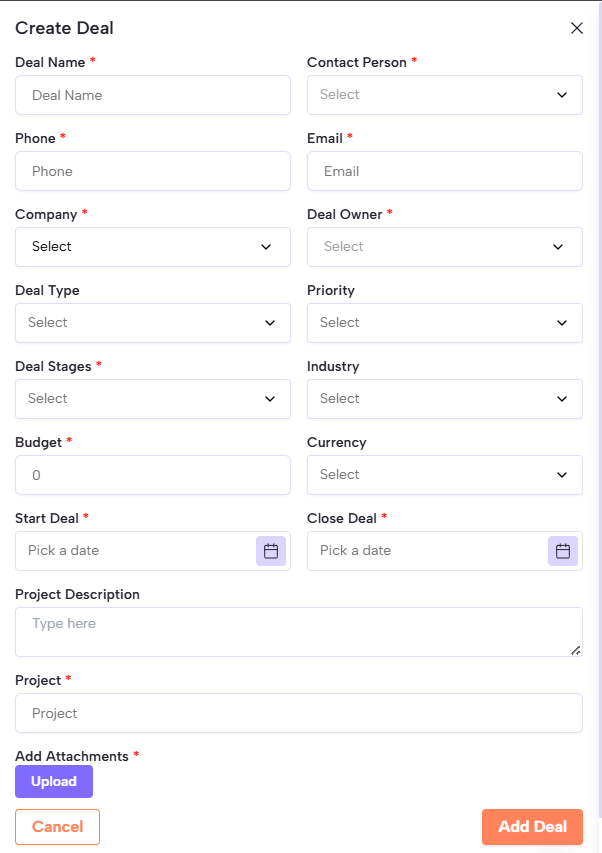
Enter Deal Details
Deal Name* – Enter a unique deal name.
Deal Owner* – Select the person responsible for the deal.
Deal Type – Choose the type (e.g., New Business, Renewal).
Deal Stage – Select the current stage of the deal.
Priority – Choose from High, Medium, or Low.
Currency – Select the preferred currency.
Budget* – Enter the estimated amount or value.
Start Deal* – Pick the start date.
Close Deal* – Choose the expected closing date.
Project Description – Add any relevant deal or project notes.
Project – Link to a specific project if needed.
Add Attachments
Upload any related documents or supporting files.
Save the Deal
Click “Add Deal” after filling in all required (*) fields.
Your new deal will appear in the Deals list for tracking and follow-up.
Adding deals allows you to keep your sales process organized, monitor progress in real-time, and ensure timely follow-ups — all leading to faster deal closures and improved team efficiency.
